The Gate
August Roundup!
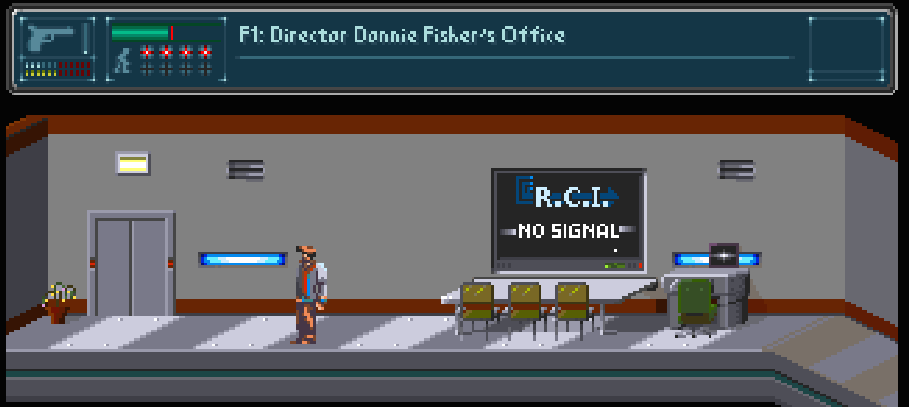
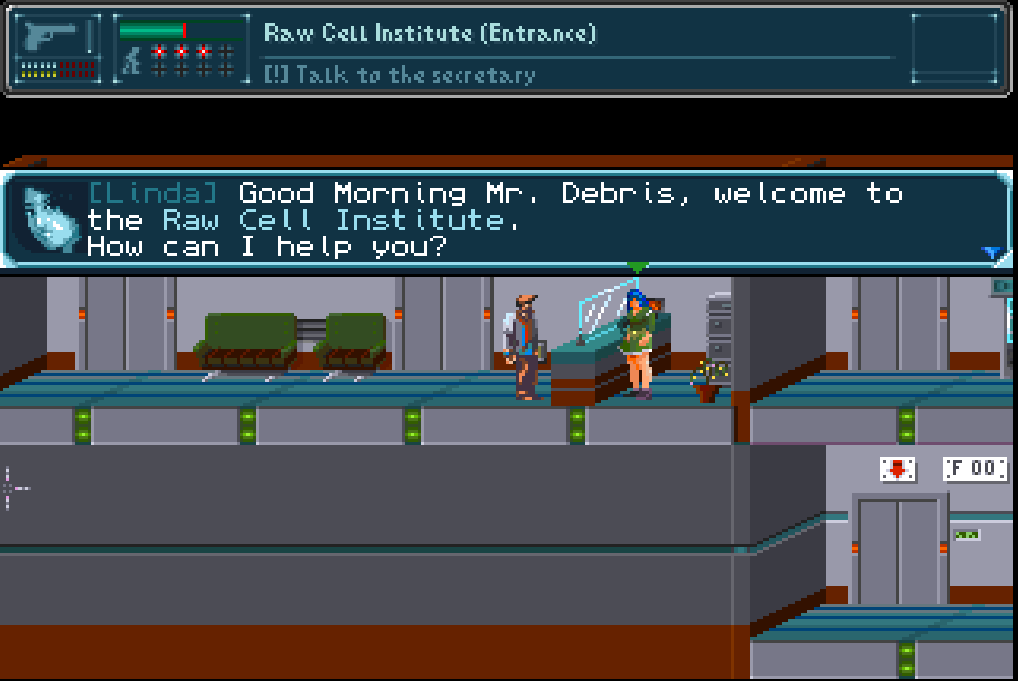
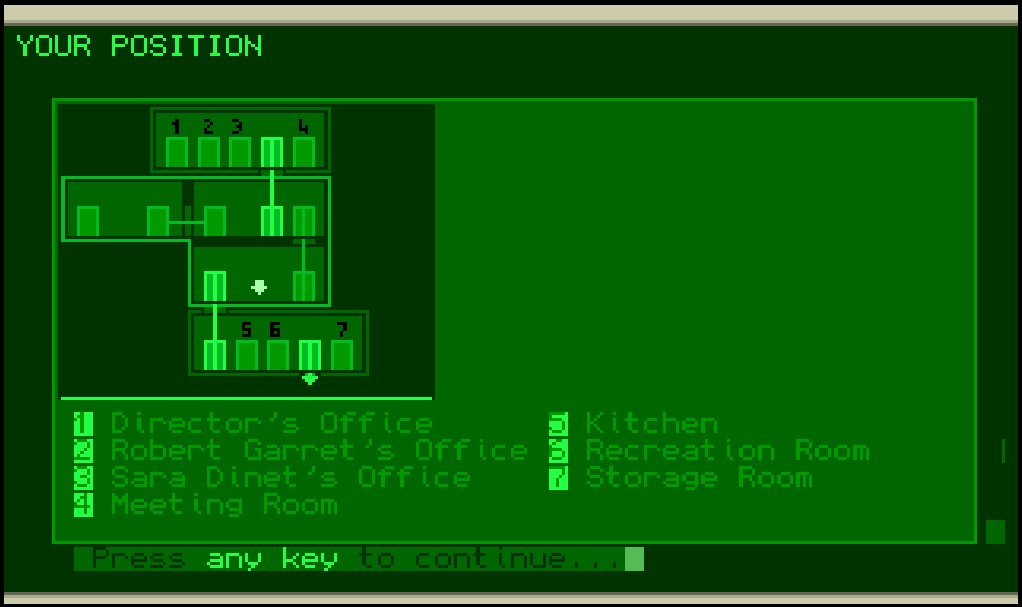
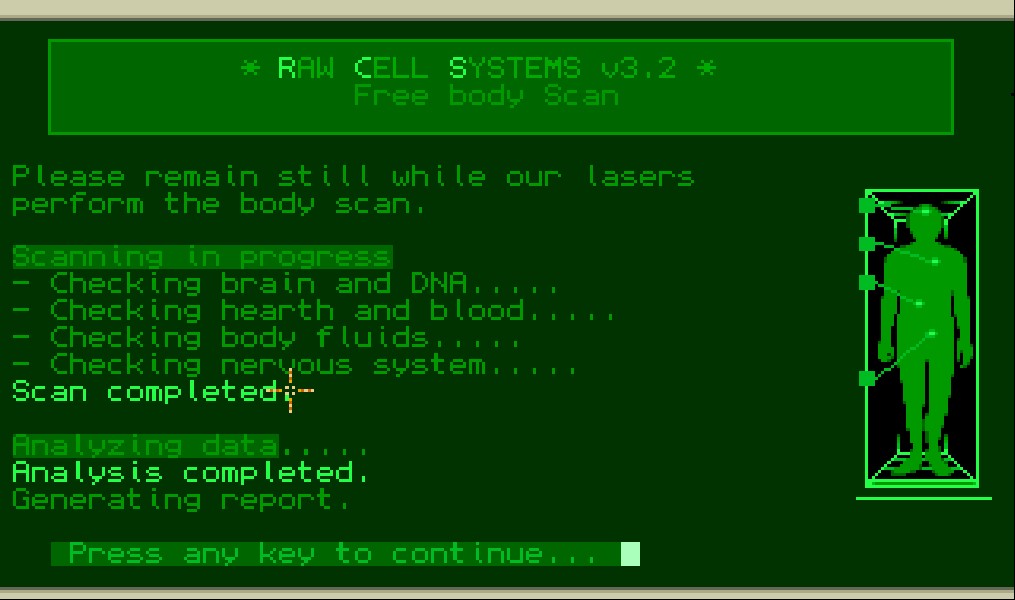
Hello everyone!
In order not to neglect all those who follow me on Itch but don't feel like following me on Patreon, I thought to create a recap of all the recent progress and news on my game, so be prepared because it will be a long post 😊
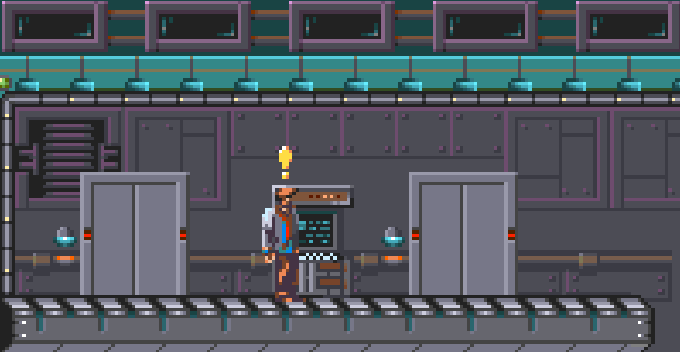
First of all what you see, in the attached short video is the title screen: pretending to be a pixel artist is time consuming, infact I've spent almost 2 months to create the background image!
You can also see how I implemented the main menu, with the classic options you can find in every game.
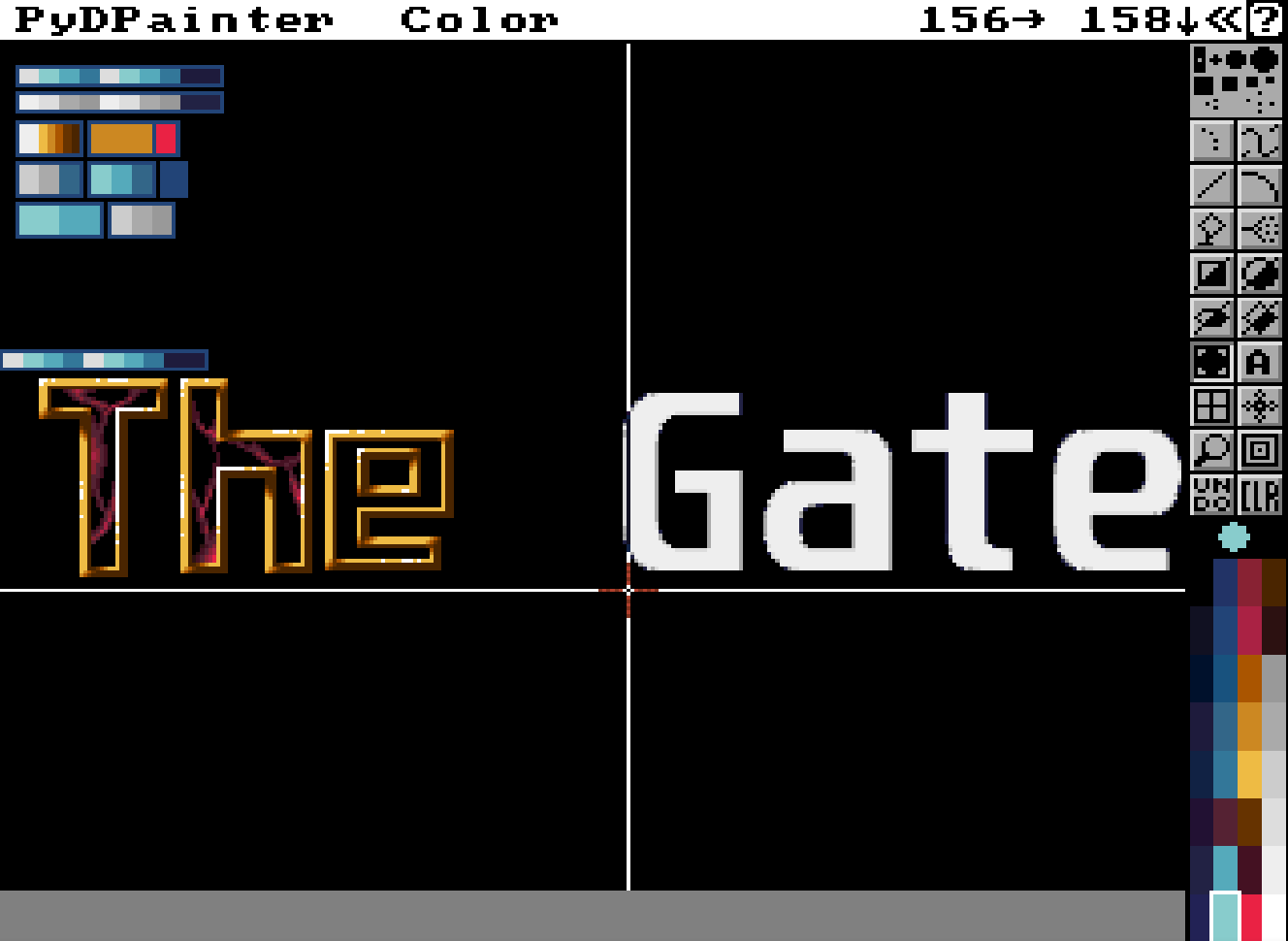
I've created the images and the graphics mostly using PyDPainter app, it's a very handy editor that try to mimic the glorious DPaint! It works really well!
From the video you can also see (hear!) that I've added more sound effects and the music, both on the title screen and in the game's menu, the music is not mine but it's by Drozerix.
I'd like to add some music of mine as soon as I relearned the Protracker commands! The last time I used it was about 25 years ago! 😬
And now let see the most important things I've added/fixed!
Enemies Overhaul
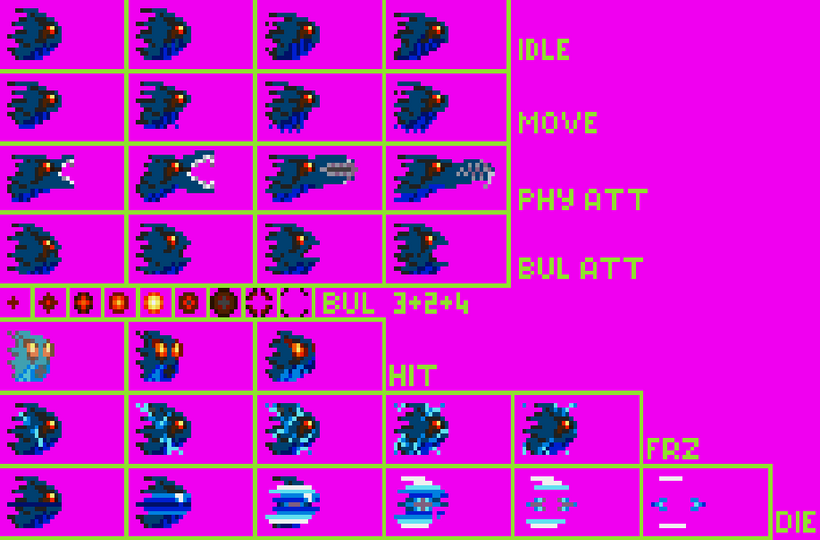
The image shows the use of sprite sheets (continue the reading to know more about it), it's a test enemy I'm using during the development but is so nice that I will put it into the game :)
I have worked a lot on the enemy's data structure, their brain command-set and their bullet system and here is what I did.
There are enemies that are displayed 100% opaque while some are displayed translucent blitting the graphics only on selected bitmaps.
Before my changes this was somewwhat hardcoded, enemies were always translucent, but I needed an enemy visible 100% opaque so I started to modify and expand the enemy data structure, and the path to the enemies overhoul started!And this leads to the following changes:
- Before my changes the engine was able to display several enemies on a room, but all of the same type.
Now I can display several enemies using several enemy types.
For the curious folks around, I implemented a dynamic enemy frames loading routine: this means that during the room loading the engine will load all the needed enemy frames while it builds the enemy data structure, using sprite sheets and grabbing the needed frames on the fly.
This brought me another big enhancement: enemy animations now can have different number of frames. For example: enemy Alpha can have 4 frames for the idle animation while enemy Beta just 2.
Using sprite sheets also lead me to get rid of the AMOS object editor which is good, but not optimal for the road I took. - The enemy brains are scripts with a set of commands that allow them to react to certain events like being attacked, sensing the player proximity, or moving randomly.
There are commands that allow to jump to script lines to make loops and control the script flow.
The problem was that the jump commands were hard to calculate because when a script was loaded the comment lines were removed from the script changing the jump reference point (which is the line number, starting from 0).
Now the comments are transformed into a NOP command that is interpreted but it does nothing, it's just a place holder for the comment lines and to keep the jump reference points intact (see below for a sample brain script).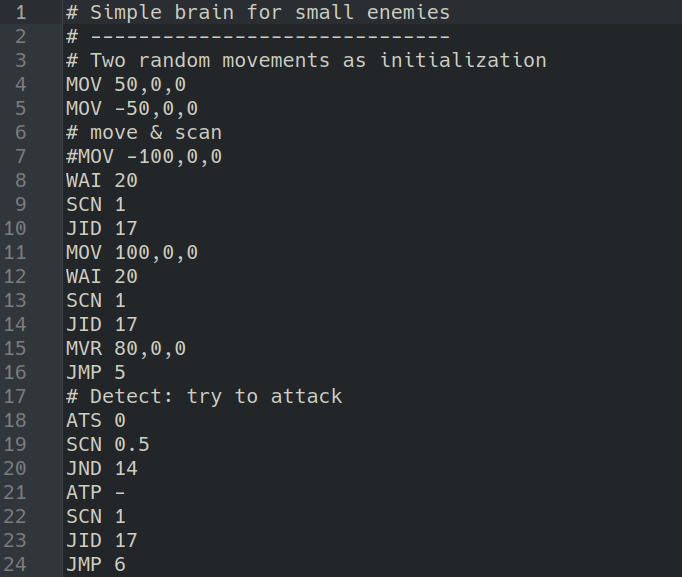
Simple brain script used to drive the enemy behaviours.
- As you may have read above, there are brain commands to move an enemy randomly, but I realized that this could lead to unpredictable positions so I added a brain command called LIM that can be used to limit the area of action of a single enemy.
The rectangular area defined with LIM is stored in the enemy data structure and handled by all the commands that moves the enemy. This limits can be specified also in the map enemies definition, you can see it in the following image: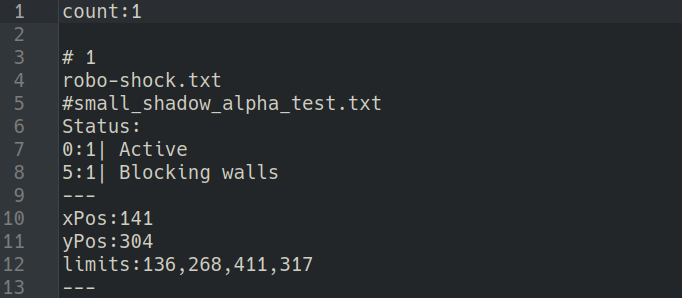
See: the limits: tag is used to define an area of action for the enemy.
- The initial idea was to have only flying enemies that floats around, but recently I changed my mind and I needed to move some enemies only horizontally or vertically.
I decided to expand the brain move commands to support an additional parameter to specify the type of movement (free, horizontal or vertical). - Another last minute change was the blitting of enemies: as I said some lines above, my initial idea was to have only semi-transparent enemies and I coded the effect using the Set Bob command to blit the enemy's graphics anly on selected bitplanes... but then I also wanted full opaque enemies 😄
I expanded the enemy data structure to have this information for every enemy, so it's not hardcoded anymore. Enemy bullets now uses the same blit settings as their parents (because they were hardcoded too).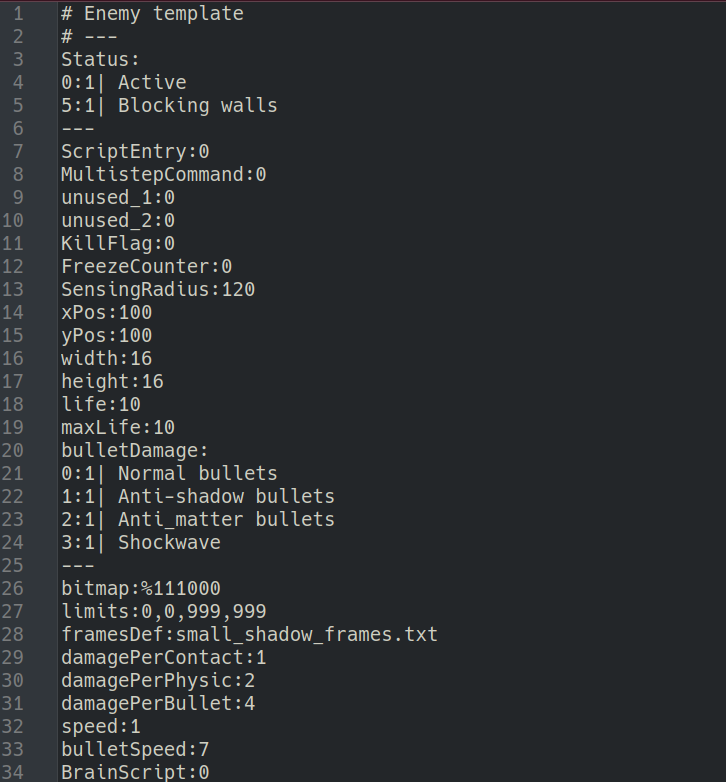
As you can see the bitmap: tag is used to set in which bitmaps we want to blit our enemies, in order to create translucent buddies.
- Some enemies are able to shot bullets to the player (they are able to aim!), but I forgot the add the ability to set the bullet's speed for each enemy.
I added a new property to the enemy definition called bulletSpeed (see the above image). To achieve precise speed values, but still using integers which are faster so I decided to provide these values multiplied by 10, when the bullet is fired, after having calculated the destination position, the computed speed is divided by 10 to have the ability to create extremely slow bullets.
Here is how the bullet's speed is calculated
- Another bug related with the bullet was pretty hard to find and what I'm going to say may be useful to other AMOS coders too.
With my current settings, in a given room, there can be a maximum of 7 bullets on the screen, each bullet uses a progressive bob number, looping from the lowest to the highest.
I found that after the first loop of 7 bullets fired, the second round of 7 was spawing invisible bullets, the third round they was visible again, and so on.
That was a really strange behavior, an took me an entire morning to figure it out.
The problem was with Bob Off <num> and my display update implementation: to fix this I was forced to turn off the bullet bob twice like this: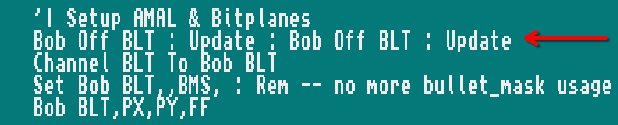
The need to turn off the bob before its reuse is because Set Bob does not work with an already displayed bob. - Enemies are driven by a generic AMAL program that listen for command sent from the main source using the internal registers, they are built using placeholders that I replace at runtime.
To let you understand what I mean, there is a piece of code in the AMAL program like this: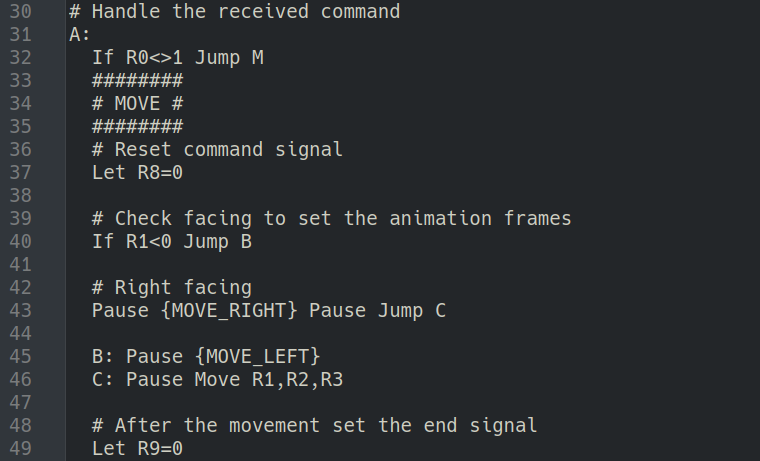
At runtime I replace all place holders surrounded by curly brackets, in the above code fragment for example, during the enemy creation, the {MOVE_RIGHT} string is replaced with the proper move-to-right animation (Using the AMAL Anim command).
During my tests I discovered that some AMAL programs was throwing false errors, like labels already defined and other strange things, of course they was all false errors.
After a very long debug session I found that AMAL programs stored in strings which are longer than 1068 characters can cause these problems, so I fixed it optimizing the AMAL program by reducing its length.
I may investigate further about this problem because it is pretty limiting for very complex programs.
Dialogue System
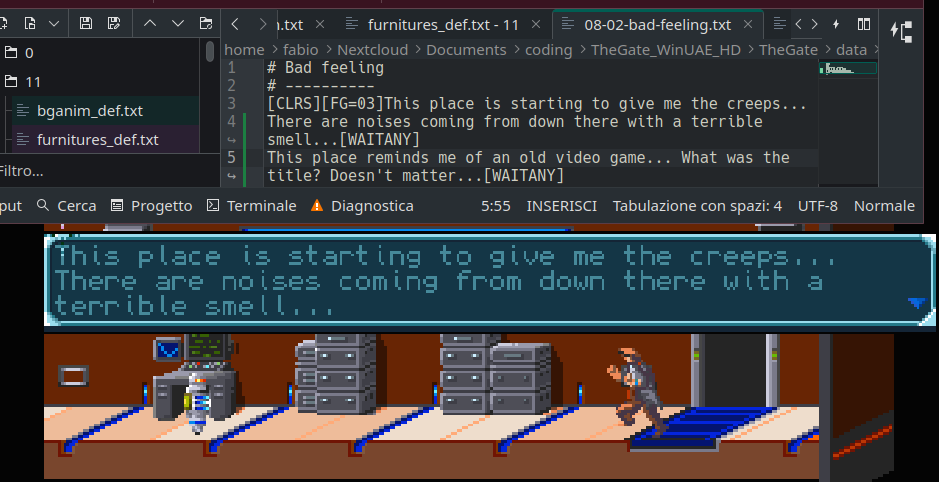
The image shows a screenshot of the editor of the dialogue and the in-game dialogue to show that the my word wrapping routine is working fine.
I've added a word wrapping routine to the dialogues system, I was pretty tired to count characters and to manual format the lines of text.
It was also a pretty difficult task because of the formatting tags and because of the actor's names that must be taken into account.
Without word wrapping I was forced to test the dialogues every time, fix them, test again and so on...
But now, even if I can still format the text manually, I can count on the word wrap and write long lines without worries anymore 😄
Little bits of obfuscation
Since I'm working to release a public demo soon, I thought to obfuscate a little bit all the text files that are loaded by the game engine.
I decided to do this work for two reasons:
- I don't want that people are able to modify the game in this early demo, even if, after the release, I will provide all the needed documentation and tools to alter the game, or even to create a game from scratch.
- The game loaders are much faster now because they treat those text files as a single data block, so they are not loaded line by line anymore.
At this point another question arised: How can I handle all this obfuscated files?
If I modify a text file I need that the obfuscated file is updated as well and doing this task manually is impossible but after a while I found the answer and I decided to code a game builder (in AMOS) for this purpose.
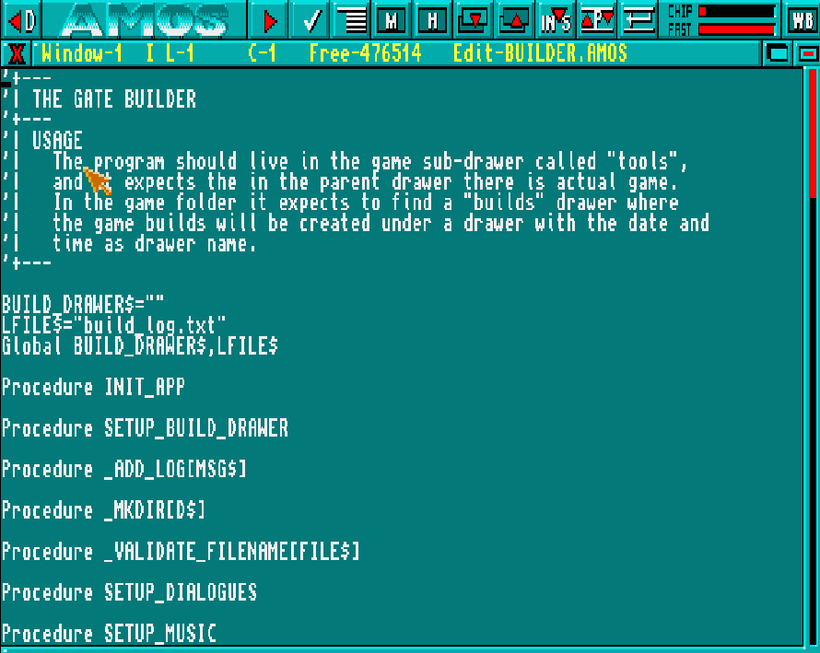
Here is a screenshot of the tool mentioned above, using it, in no time, I'm able to create a drawer with all the files needed by the game!
The task of this program is to scan my source files, create a destination drawer, obfuscate all the text files and copy them on it, respecting the game's drawers structure.
At the end of the process I can put on the build drawer the compiled main program and all will work, ready to be packed and distributed!
While processing the files the builder will produce a log with detailed information about everything copied in the destination drawer.
This job took some time, but I've a build system now and I can setup a distribution package in no time.
Load & Save states
The game features an automatic save system to allow the player to reload the game into a relatively safe position: the game auto-saves everything when the player exits from a room.
Here is an example: if we are in the room #1 and we exit from here to enter the room #2, just before loading the room #2, the game performs an auto-save.
If the player dies in room #2 the game can be loaded and started again from room #1, in front of the door that he has tried to enter.
Of course there is the possibility to load & save manually from the in-game menu, but even if the code is ready, I still have to add these two options to the menu.
I decided, at the last minute, to save the enemies state too: doing this, enemies will not respawn (unless I code them to respawn), and wondering enemies will be restored at their positions so the player will find the room exactly as he left it.
The bullet's holes in the walls are not yet restored, but I'd like to add this feature, it's almost ready into the code base.
While working on the save slots I tried to use the Kill command to clear a previously saved game.
This AMOS command should delete a file or a drawer but with great surprise it was always kicking me with a "File not found" error.
I spent an entire day to figure out that the returned error was wrong, infact Kill wasn't working because I was trying to delete a not-empty drawer, but the error was misleading at least.
So I created a simple recursive procedure that, for a given drawer, iterate the contents and empty it.
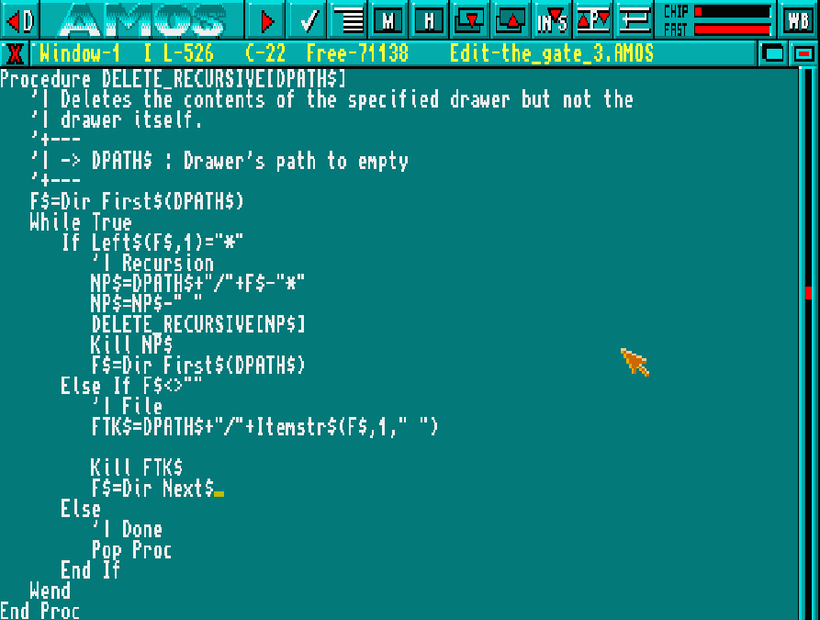
Here is the code of this simple recursive procedure that empties the given drawer, scanning all the contents and removing nested files first.
What happen after the demo release?
Lot of stuff is planned:
- More game music (I want to compose the music like in the old days)
- Ambient sounds(Some rooms will have looped sounds as background ambient sounds)
- Enemies sound effects(Not yet implemented at all)
- The rest of the game map (something around 36 rooms, some of them really huge!)
- Sound effects in dialogues + background music
- Sound effects in terminals + background music (even if I'm not sure yet)
- Sound effects in hacking device + background music music
Conclusions
If you have read throught all of this wall of text, well, I'm glad I piqued your interest in this project!
For more detailed articles like this please follow me on Patreon, there is also a free tier, but if you want to ❤️ donate some bucks ❤️ I will be even more happy!
So here are some links:
- My Patreon Page (I post updates regurarly once a month)
- My Mastodon account (You can read my feed even without registering, I often post updates about this game and other retro things)
- My YouTube channel (I rarely post videos, my PC is too weak to record the screen and do other stuff)
- All the other links are here (LinkStack with all my links)
Leave a comment
Log in with itch.io to leave a comment.